How to draw "non-tangential" arcs in kcl?

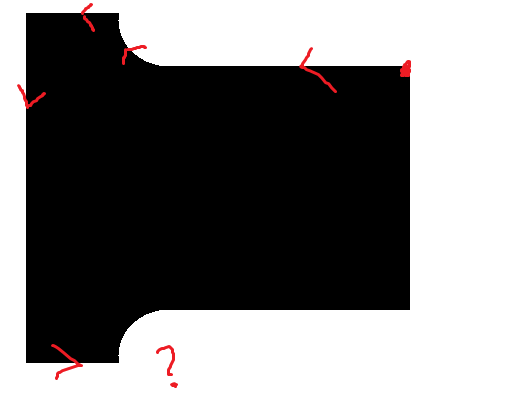
I am trying to create the T shape shown below in kcl. I would prefer to do it in 2D if possible to keep things simple. I was able to draw the top arc using tangentialArc but what is the best way to draw the bottom arc?

Some ideas that came to my mind:

  1. Use bezier curves in 2D, seems overkill
  2. Extrude and then use fillets, seems overkill
  3. Use mirror2d, works in this simple case but would break down if the radii were different

Hi Pedro,

We have an “arc” tool that allows you to draw non-tangential arcs. If you’re using the UI it is named “Three-Point Arc” and if you’re using KCL here is an example code along with the documentation:
|> arc(interiorAbsolute = [0.75, 1.75], endAbsolute = [2.75, 1])

Let me know if that is helpful!

Thank you! That’s what I was looking for. Not sure how I missed it.

1 Like

Hey Pedro,

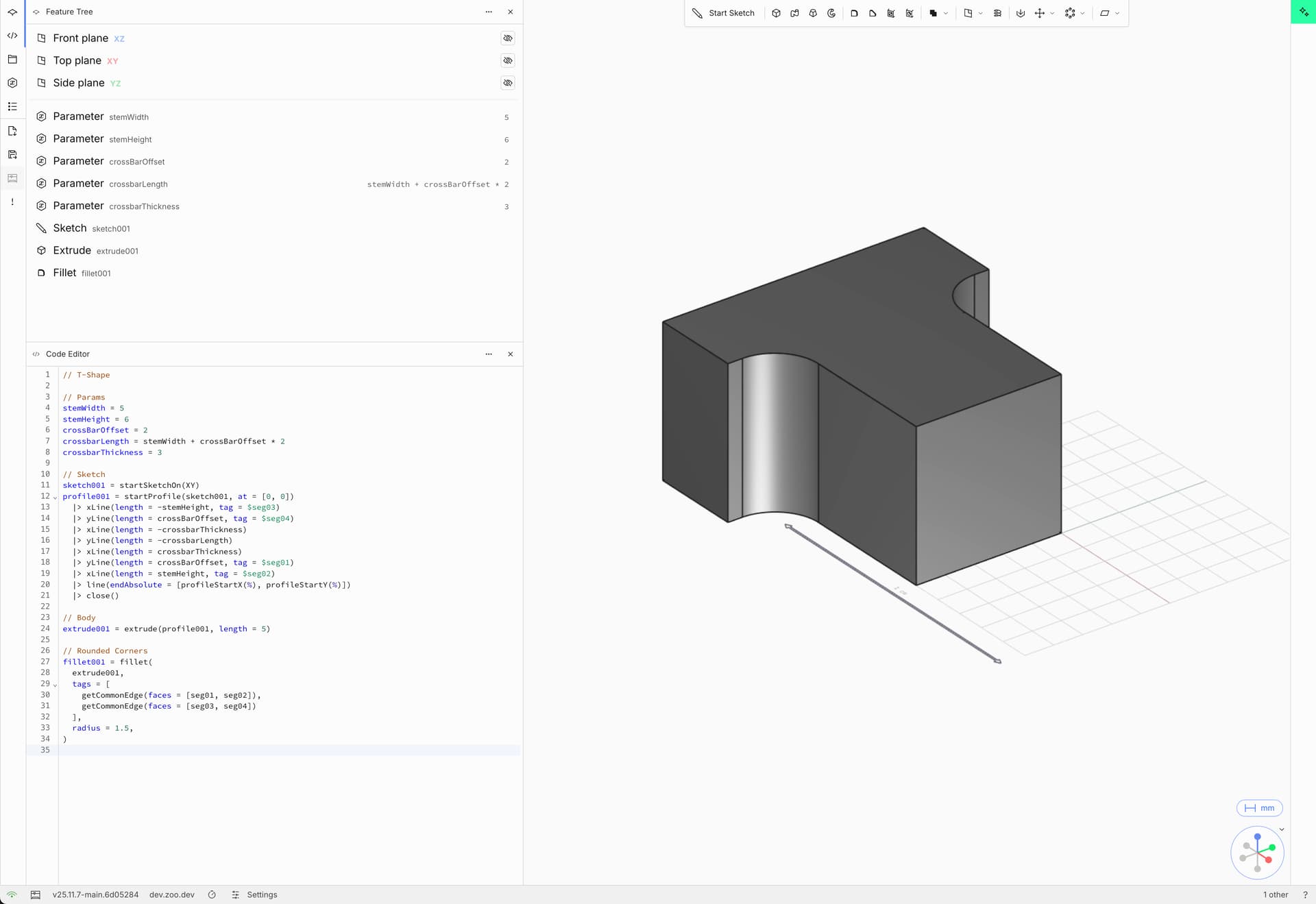
In case if you are going to extrude this sketch, adding the fillets to the body might make the process much simpler

1 Like

example KCL:

// T-Shape

// Params
stemWidth = 5
stemHeight = 6
crossBarOffset = 2
crossbarLength = stemWidth + crossBarOffset * 2
crossbarThickness = 3

// Sketch
sketch001 = startSketchOn(XY)
profile001 = startProfile(sketch001, at = [0, 0])
|> xLine(length = -stemHeight, tag = $seg03)
|> yLine(length = crossBarOffset, tag = $seg04)
|> xLine(length = -crossbarThickness)
|> yLine(length = -crossbarLength)
|> xLine(length = crossbarThickness)
|> yLine(length = crossBarOffset, tag = $seg01)
|> xLine(length = stemHeight, tag = $seg02)
|> line(endAbsolute = [profileStartX(), profileStartY()])
|> close()

// Body
extrude001 = extrude(profile001, length = 5)

// Rounded Corners
fillet001 = fillet(
extrude001,
tags = [
getCommonEdge(faces = [seg01, seg02]),
getCommonEdge(faces = [seg03, seg04])
],
radius = 1.5,
)

2 Likes