I want to know if there is a way to import custom .stp files and then edit them using natural language text and export back.
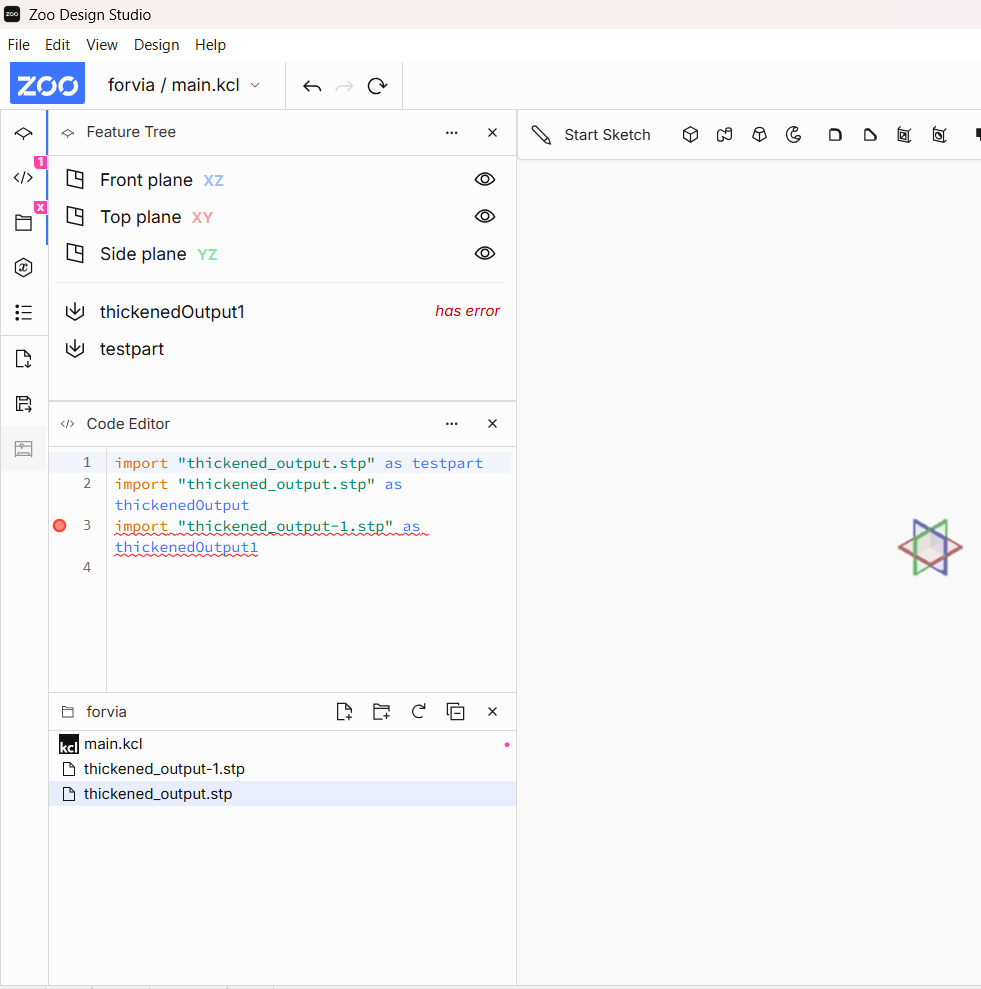
I tried Zoo Design Studio, I am able to do this for existing samples provided but not on my .stp files. When I import my custom .stp file I get some unknown error. (Image Attached)
Ideally I want to create a workflow, where I will be using your APIs to upload a .stp file, edit it using natural language prompts and export back. Is this possible, right now with your APIs? I can see the iterate/modify design api in ML part of your docs but not to iterate on an existing CAD.
Can you help me with this as well?
Thanks for your question. Talking to some other team members, it sounds like imported geometry can be used for some operations (like the boolean subtract, intersect, union, etc.) but not edited directly as KCL, which would also mean it can’t be modified directly by Zookeeper. It looks like our documentation could be improved here to explain the limitations and I’ll also check with the ML team to see if we have anything on the roadmap to allow this kind of interaction in the future.
For the import error, I was able to reproduce it with a simple part I made so I raised a bug with the file format team. It might also be part specific, so if you’d like us to investigate your part directly, you could also share it with us. The error message itself isn’t very helpful as there are many reasons import could fail so that is something we also will address.
Thanks for being part of our community and we hope to continue to help you find value in our product and really appreciate your feedback as we work to quickly improve our offering.
Just to add to what Austin has already said, operating directly on the imported model via KCL will be limited to operations like subtract, intersect, union. A possible route that would allow natural language and modification of the model would be to ask Zookeeper to recreate the step file in KCL. From there you (or Zookeeper) can iterate on the model using the full suite of KCL commands. We’re working on improving the capabilities of Zookeeper working with various formats like images/pdfs/dxfs/ and CAD interop formats.
One thing to note, Zookeeper may not be able to do a perfect 1:1 recreation of your step file, so you’ll want to ensure the KCL recreation and original step file match first. This can be done in a number of ways, visual inspection, checking various physical analyses like surface area and volume match.